A downloadable RPG Maker Plugin

Download NowName your own price

Introduction

To make enemies more complex, sometimes we have to depend on a lot of static or repetitive tasks. Even make the same enemy on the database, with different parameters.

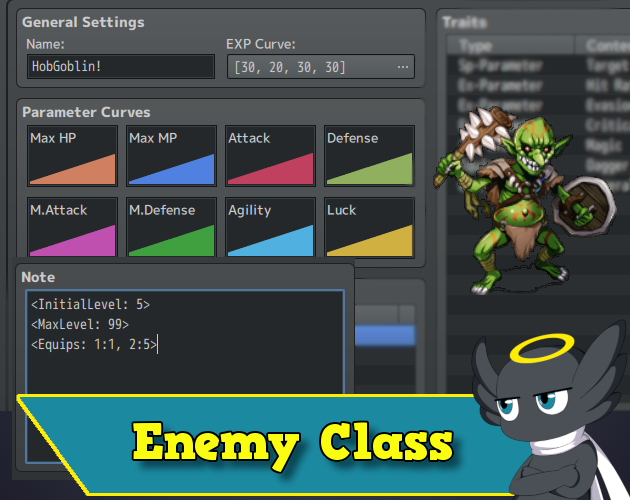
This plugin lets enemies use classes, and so, just like actors, they can Equip weapons and armor, raise levels, and learn skills!

Features

  • Add classes and equipment to enemies!
  • Enemies have levels and exp!
  • Enemies can learn Action Patterns/Skills!
  • Show enemy levels on battle

Plugin Parameters

  • Equip Rules → If true, the enemies will follow the equip rules when trying to equip something. Otherwise, they will be able to equip everything.
  • Action Pattern Mode → You have three modes to use. Each one will have an effect on the Enemy Action Pattern:
    • Learn and Require Level → This mode will let the enemy Action Pattern automatically be filled with their class Learnable Skills. They will be required to be on a specific level to be able to use those skills. That action pattern will be created by default, using the Always condition, and have the rating value as defined on the plugin parameters.
    • Require Level → This mode will not fill the Action Pattern automatically. But if, perhaps, you set an Action Pattern Skill that is also on the Learnable Skills of the class, the enemy will need the right level to use it.
    • Default → It will do nothing. It will behave like the default RPG Maker works.

For the first two modes, if you want more customization of the Action Patterns conditions, you can add them manually. If the skill of the action pattern is on the class Learnable Skills, then the plugin will only add an extra condition for the enemy to use them, which is the level requirement, and let everything else as you set.


  • Default Action Rating → That rating will be applied to Action Patterns that are automatically filled in case you choose the Learn and Require Level Action Pattern Mode.

*That parameter will only work for enemies that have a Class ID.

Level Show

The plugin can let you show the enemy levels in three different ways/places: Battler Name, target Window, and Battle Log. You can do just one of them or all of them. Just set their parameters to true.

Transform

When you use the default event command for Enemy transform, you can now select some behaviors you want for it to follow or not:

  • Class Mode → You can decide if the enemy will transform and keep the current class or if it will get the new enemy class id.
  • Keep Level → You can decide if the enemy will keep his current level after transformation or if it will read the InitialLevel from the new enemy,
  • Equip Mode → Decides if you want the enemy to keep his current equipment or if it will get the equipment from the new enemy.

Note Tags

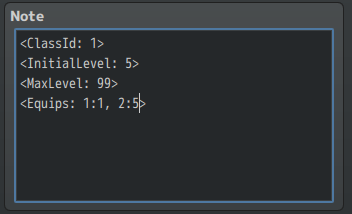
To assign a class to an enemy you have to use a note tag:

  • <ClassId: ID> → Replace ID with the class ID you want.
    • Accepts \v[id].

Optionally, you can set the initial level and max level of the enemy:

  • <InitialLevel: X> → If you don't use it, it will be 1 by default.
  • <MaxLevel: X> → If you don't use it, it will be 99 by default.
    • Both accept \v[id].

You can also, optionally, set the initial equipment for the enemy:

  • <Equips: Slot:EquipId, Slot:EquipId>
    • Slot and EquipId accepts \v[id].

Example: <Equips: 1:13, 3:4> 

  • Slot 1 will be equipped with a weapon/armor of ID 13.
  • Slot 3 will be equipped with a weapon/armor of ID 4.

You just need to separate the slot and id with ":" and each of them with a comma, in case you want to set more than one piece of equipment to the enemy.

***ATTENTION! All notes are case-sensitive!***


Plugin Commands

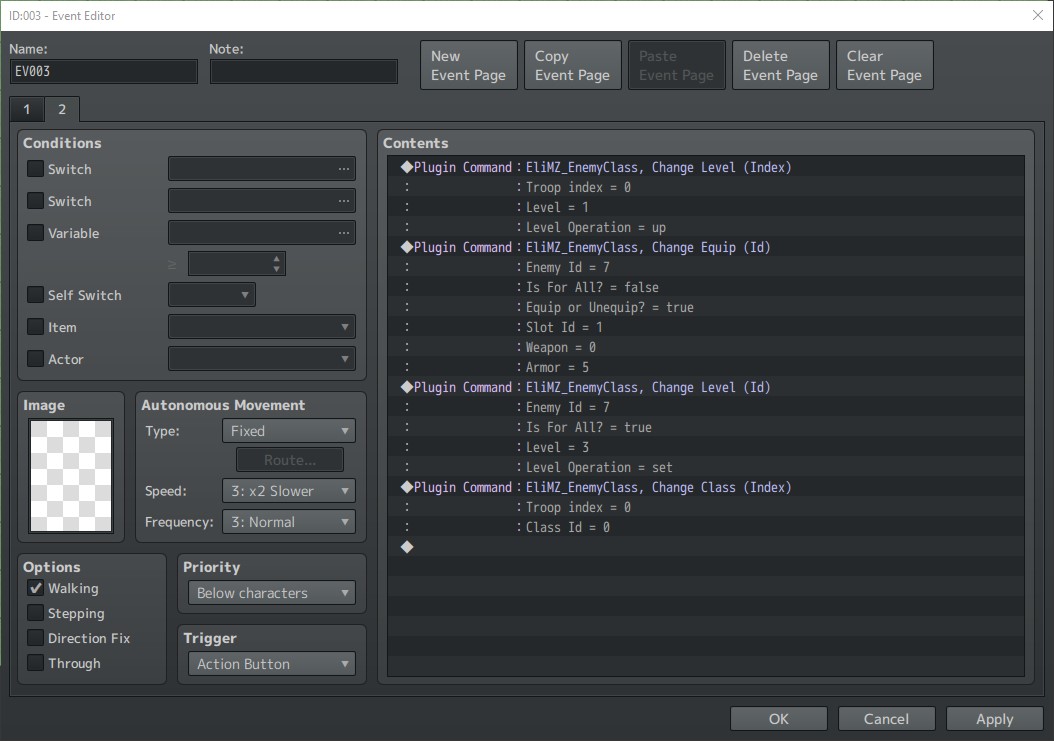
The plugin commands are self-explanatory. Basically, they can change/add/subtract enemies' levels, change classes, or change equipment.

They are divided into commands that you need to use the enemy troop index to find the enemy and others that you need to specify an enemy ID on the database.

The arguments that needs to set an id or index, they all accepts variables by using \v[id]

Script Calls

You can manage the enemy equipment, level, and Exp just like actors. I mean, using the same script calls.

To equip an actor with a weapon:

  • $gameActors.actor(id).changeEquip(slotId, weapon/armor)

Examples:

  • $gameActors.actor(1).changeEquip(0, $dataWeapons[13])
  • $gameParty.members()[0].changeEquip(0, $dataWeapons[13])

So, for the enemies, you can either equip them by default with the note tags or use the script call to equip them with other pieces of equipment:

  • $gameTroop.members()[memberIndex].changeEquip(slotId, weapon/armor)
  • $gameTroop.members()[memberIndex].levelUp()
  • $gameTroop.members()[memberIndex].levelDown()
  • $gameTroop.members()[memberIndex].changeLevel(level)

Etc…

Help File | Terms of use | Sample project

Updated 26 days ago
StatusReleased
CategoryTool
Rating
Rated 5.0 out of 5 stars
(6 total ratings)
AuthorHakuen Studio
Made withRPG Maker
Tagsenemy, enemy-classes, hakuen-studio, No AI, rmmv, rmmz, RPG Maker, RPG Maker MV, RPG Maker MZ
Average sessionA few seconds
LanguagesEnglish
ContentNo generative AI was used

Download

Download NowName your own price

Click download now to get access to the following files:

MZ - Enemy Class 1.4.1 7.6 kB

Development log

View all posts